Robotics did not appear out of nowhere. In many ways, it is based on principles, mechanisms, and solutions that people have observed in the world around us — and especially in nature.
Engineering has long used natural structures as a source of ideas. The strength of triangular structures, hollow plant stems, the hexagonal shape of honeycombs, and the movement principles of animal limbs can all be seen reflected in modern engineering designs.
Even mechanical transmissions have interesting analogies in nature. For example, the nymphs of Issus coleoptratus have gear-like structures on their hind legs that help synchronize leg movement during jumping.
The connection with nature is especially obvious in walking robotics. Robots with two, four, six, or more legs often reproduce movement principles similar to those used by living organisms.
So, from the point of view of mechanics, the relationship is quite clear: engineering observes nature, studies its solutions, and adapts similar principles for technology.
But there is another, in my opinion, even more interesting question.
What happens when we move from mechanics to programming and sensors?
From a Mechanical Device to a Real Robot
If a model has only a motor and performs a predefined sequence of commands, its behavior is completely determined by the program.
For example:
move forward for 3 seconds → turn → stop.
The model does not know what is happening around it. If an obstacle suddenly appears in front of it, it will simply continue executing the program.
The situation changes fundamentally when we add sensors.
Now the robot can collect information about its environment and change its behavior based on that information.
And this is where I very often turn to biology.
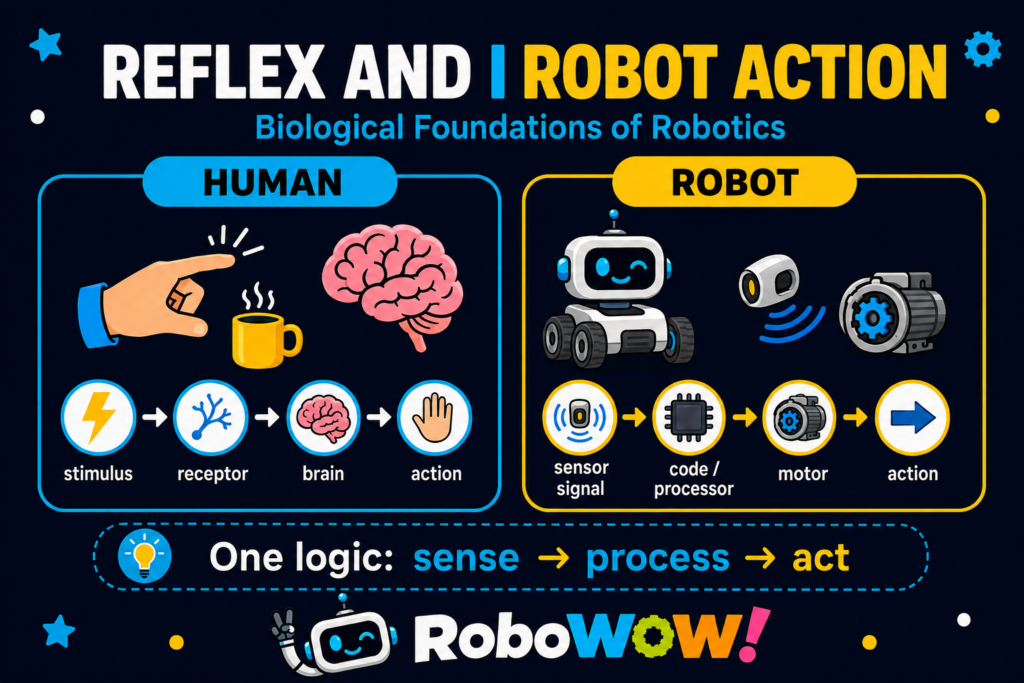
Reflex as a Model for Explaining Sensors
When I begin teaching sensors to children, one of the first concepts we discuss is the reflex.
In a simplified form:
A reflex is a response of an organism to a stimulus.
The human body can be thought of as a huge system of natural sensors.
We can sense:
- touch;
- temperature;
- light;
- sound;
- smell;
- taste;
- body position;
- pain;
- movement.
Our receptors constantly collect information from the environment.
The signal is then transmitted through the nervous system, processed, and the body performs an appropriate action.
For example:
bright light → our eyes react;
a loud sound → we may turn our head toward its source;
touching a very hot surface → we quickly pull our hand away.
Of course, from a biological point of view, reflexes are more complex, and some responses can be processed at the level of the spinal cord before conscious processing by the brain. But for explaining the basic logic of signal → processing → action to children, this analogy works extremely well.
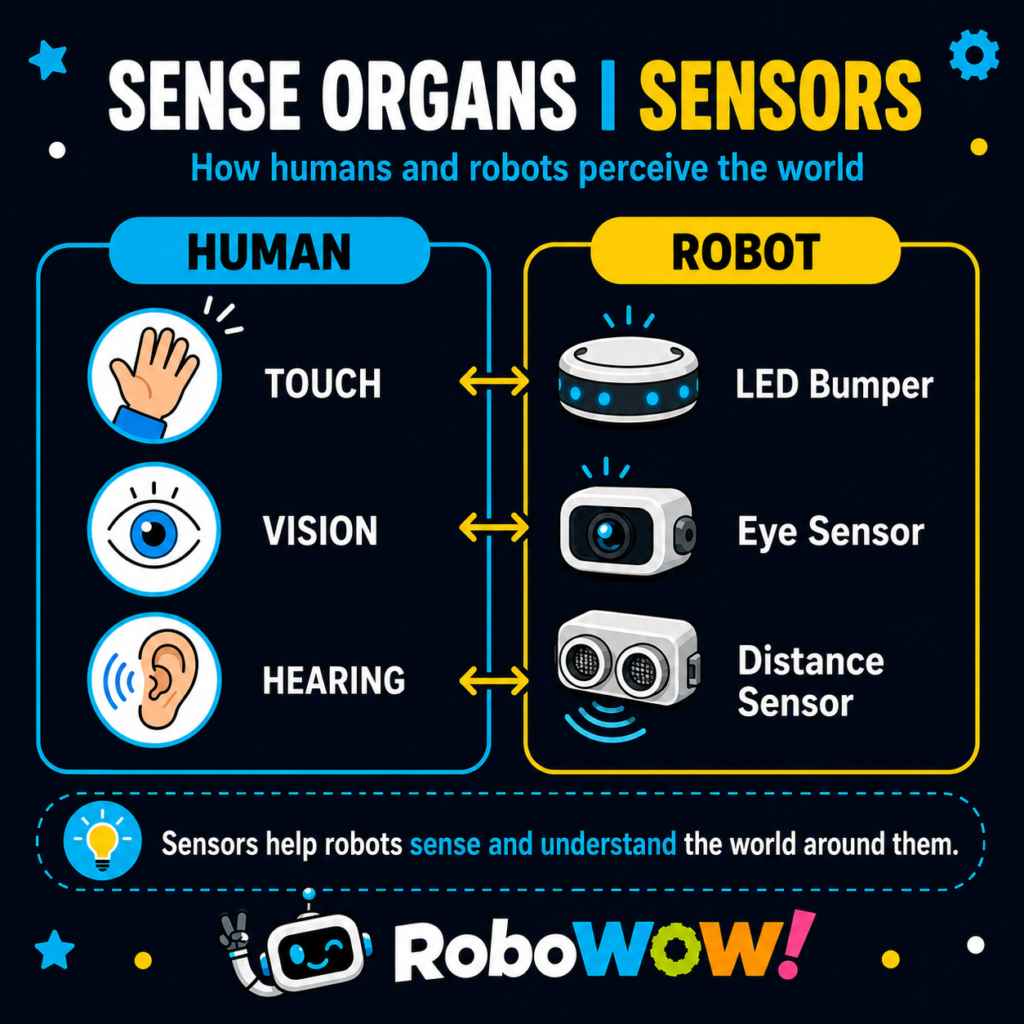
Human and Robot: The Same Logical Pattern
For a human, we can describe the process as:
Stimulus → Receptor → Nervous System → Reaction
For a robot:
Change in the Environment → Sensor → Processor / Program → Action
Or even more simply:
Sense → Process → Act
This pattern is at the core of a huge number of robotics algorithms.
The Simplest Example — a Touch Sensor
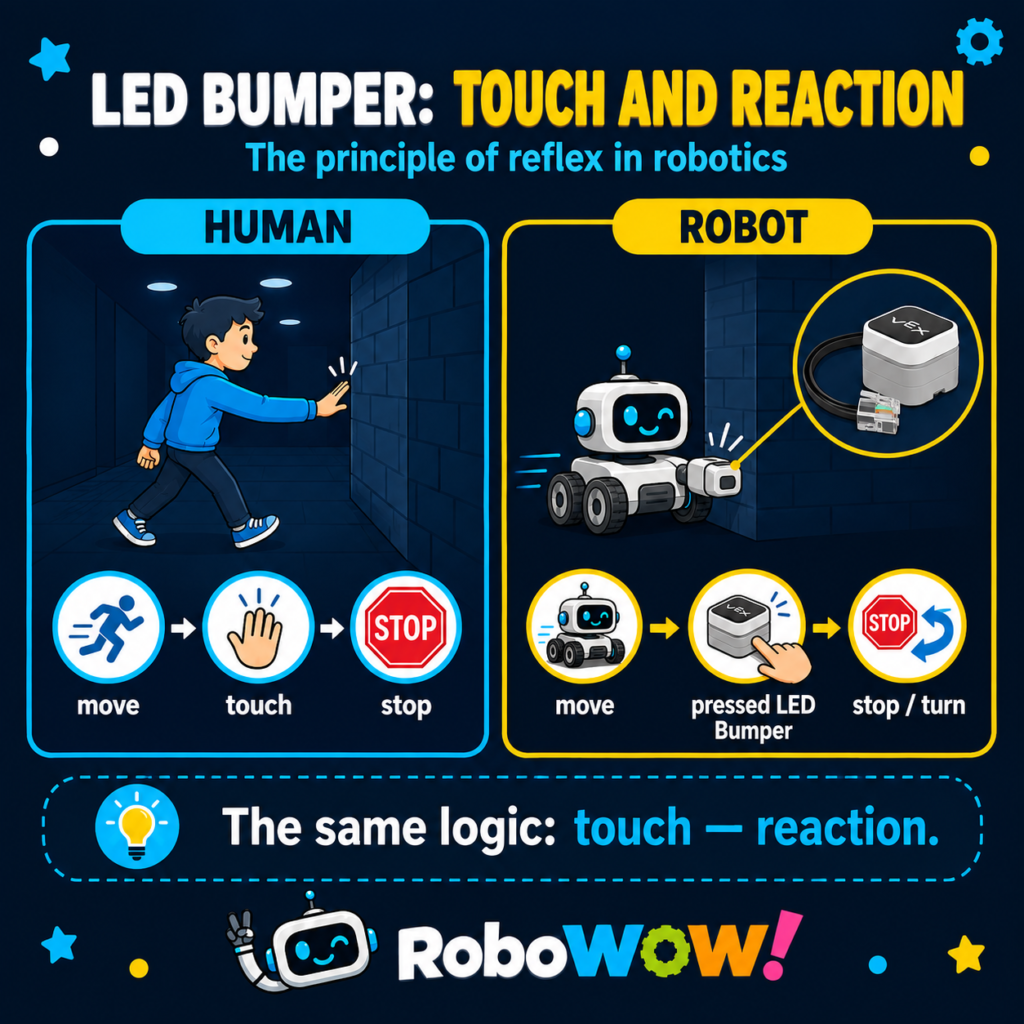
Let us take VEX GO and the LED Bumper, which can also function as a touch sensor.
We give students a simple task:
The robot must move forward, and when the LED Bumper touches a wall, the robot must stop.
From a programming point of view, this is a very simple task.
But how do we explain to a child why the program should work this way?
I use the following example.
Imagine a person walking through a completely dark corridor. The floor is flat, so the person can safely move forward, but they cannot see where the wall is.
What can they do?
Stretch one hand forward.
The person keeps moving and waits for the moment of contact.
While:
there is no wall → keep moving.
When:
the hand touches the wall → stop.
The robot behaves almost the same way.
While:
LED Bumper = not pressed → motors move forward.
When:
LED Bumper = pressed → stop motors.
Then we can add the next actions:
move backward → turn → continue moving.
At this point, the child begins to see the program not simply as a collection of blocks, but as a logical model of behavior.
But How Do We Explain More Complex Sensors?
The LED Bumper is very convenient for a first explanation because it essentially has two basic states:
pressed / not pressed.
But most sensors work in a more complex way.
For example, an Eye Sensor can measure brightness, detect color, and analyze other characteristics of light.
And here we can again use an analogy with the human body.
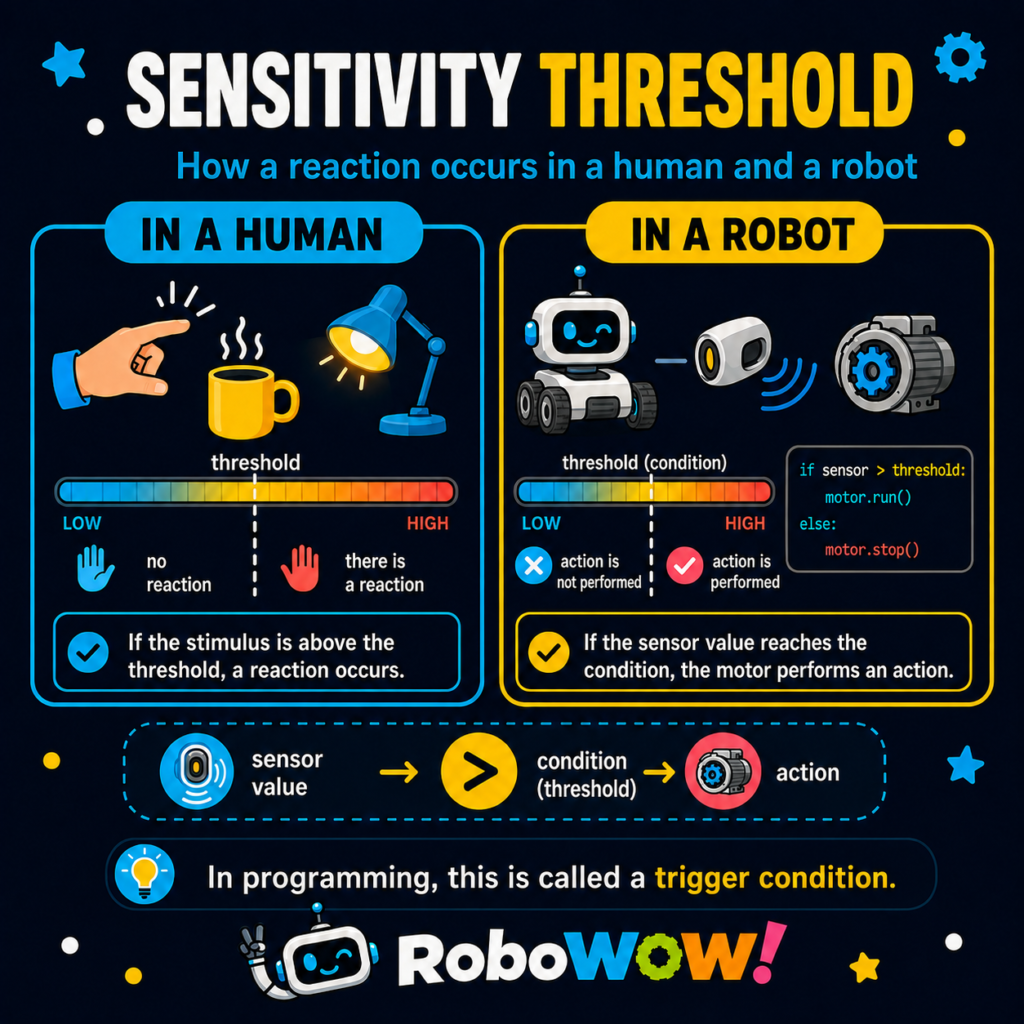
Threshold Values
Imagine touching an object.
One object is warm, and we can comfortably keep our hand on it.
Another object is very hot, and we immediately pull our hand away.
The presence of temperature alone does not automatically mean that the body must react.
What matters is the value of the parameter.
In a simplified example:
temperature below a certain level → no reaction;
temperature exceeds the level → react.
In robot programming, we do exactly the same thing.
For example, a sensor measures brightness.
We can program: Brightness < 20% → robot moves.
Or: Brightness > 70% → robot stops.
In this way, we set a threshold.
The sensor continuously sends values to the processor, but an action is performed only when the value meets the condition defined in the program.
A Robot’s “Light Reflex”
Imagine another situation.
A robot is moving through a dark environment.
The Eye Sensor continuously measures brightness.
While: Brightness < the set value → the robot moves.
Then suddenly, a bright light appears.
The sensor value changes: Brightness > threshold.
The program detects this and sends a command to the motor: Stop.
Humans have a somewhat similar response: when bright light suddenly appears after darkness, we squint or close our eyes.
Again, we see the same logical structure:
change in the environment → sensor → comparison with a value → reaction.
This Is Where Real Robot Programming Begins
It is very important for children to understand that a sensor does not simply “see a wall,” “see light,” or “see a color.”
A sensor collects data.
The program must:
- receive the data;
- analyze it;
- compare it with defined conditions;
- make a decision;
- perform an action.
That is why, after students begin working with sensors, programming naturally introduces:
conditional statements, loops, logical expressions, threshold values, and variables.
For example:
IF sensor is pressed → stop
or
IF brightness > 70 → move backward
or
IF distance < 100 mm → turn
In other words, sensor-based robotics gradually moves from simply executing commands to making decisions based on information from the environment.
Biology as a Tool for Teaching Robotics
This is why I so often use biological knowledge in robotics lessons.
Not because a robot is a living organism.
And not because a robot sensor completely reproduces the work of a human sense organ.
It is a model and analogy that helps a child understand a complex technical principle through familiar real-world phenomena.
Human: receptors → nervous system → reaction.
Robot: sensors → processor and program → mechanism / motor → action.
And the more complex the robot becomes, the more interesting this comparison becomes.
A color sensor can be compared with vision.
A microphone can be compared with hearing.
A touch sensor can be compared with the sense of touch.
A distance sensor can be compared with one of the ways living organisms perceive space.
And an algorithm that analyzes information from these sensors and makes decisions can, in a simplified way, be compared with the role of the nervous system in a living organism.
In my opinion, these interdisciplinary connections are exactly what make robotics such an interesting educational subject.
Because robotics is not only mechanics.
It is not only programming.
It is not only electronics.
It is a field where engineering, physics, mathematics, computer science, biology, and knowledge about the world around us come together.
And very often, in order to understand a robot better, we should first take a closer look at how nature works.
For more information about educational robotics, please feel free to contact me.
If you need support, professional training, or consultation, please email me at vasyliuk.anatolii@gmail.com.
Author: Anatolii Vasyliuk
Copying, reproducing, or using these materials without the author’s prior written permission is strictly prohibited.
Images used in this article were generated using AI.